The following are the steps to upgrade the Talend license on
a Talend Administration Console (TAC) server:
- Copy the licence file to /usr/local/talend-cmdline/
- Restart the Commandline application: (kill the running process and then run: “nohup ./commandline.sh &”)
- Open TAC and log in.
- Click on “License” in the left pane:
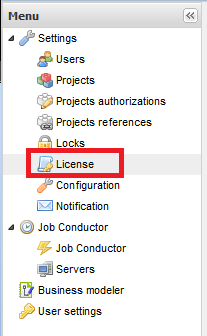
Click Browse in the center pane:

Locate and select the “license” file

Click “Upload”:

The license should now be installed and the TAC will no longer display the “License will expire” message.
Happy Talending!
